
-
Shop by category
Explore all dealsExplore this collection for more finds.
View this find
- Amazon Best Sellers
- Under $25
-
Shop by brand
View all brandsExplore this collection for more finds.
View this find
-
eDeals & offers
Explore all dealsExplore this collection for more finds.
View this find
- Shopping guides
- Compare products Free tool
-
Shop by category
Explore all dealsExplore this collection for more finds.
View this find
- Amazon Best Sellers
- Under $25
-
Shop by brand
View all brandsExplore this collection for more finds.
View this find
-
eDeals & offers
Explore all dealsExplore this collection for more finds.
View this find
- Shopping guides
- Compare products Free tool
THE EVERYDAY EDITTech & Accessories
Give Your Phone a Place Beside Your Laptop
A practical desk setup for keeping a phone reference visible while you work, with angle, case-clearance and pack-away checks for a folding stand.
Explore the picks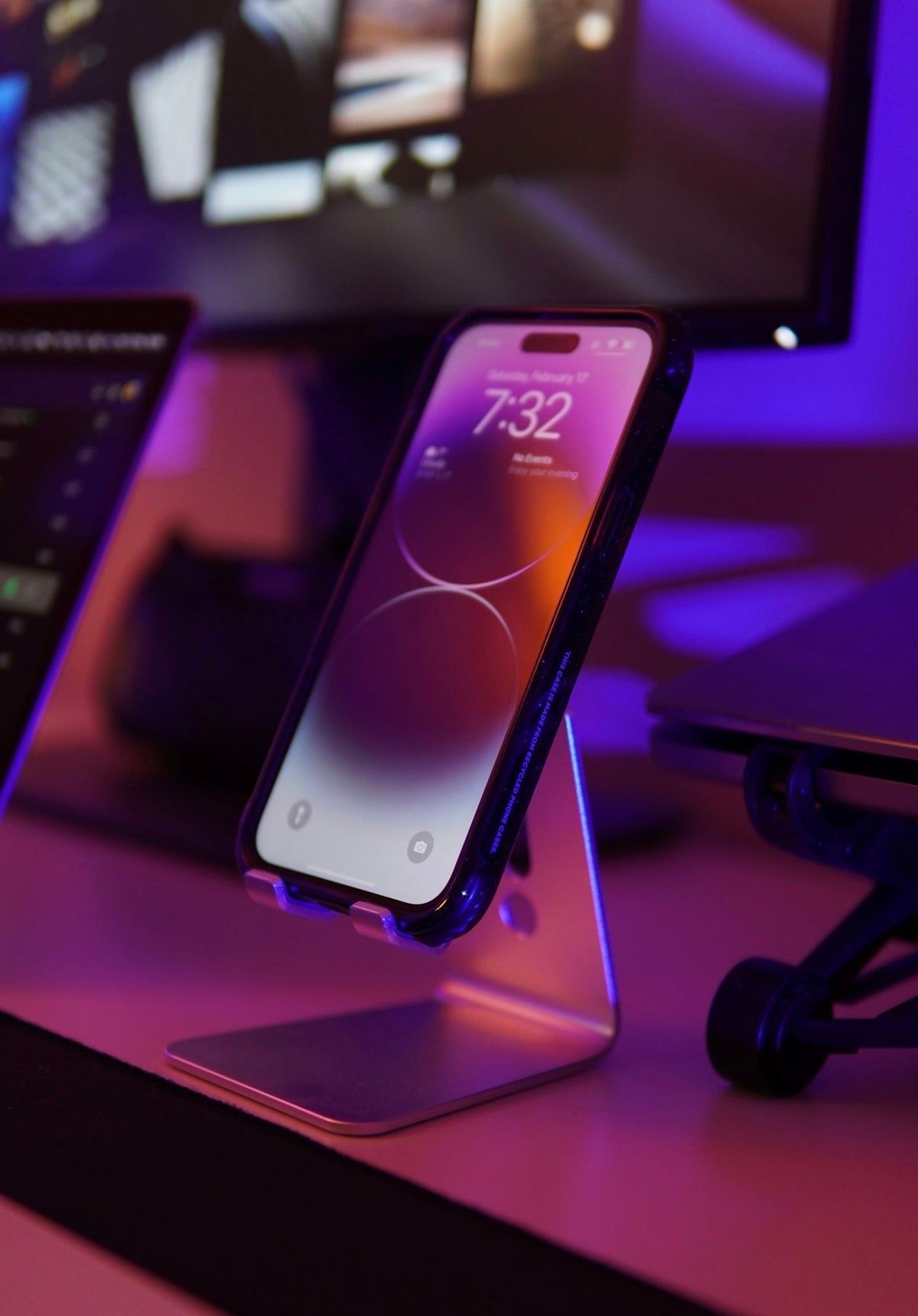
When your phone holds the next appointment, a reference image or a short set of notes, laying it flat beside a laptop can mean repeatedly picking it up. A small stand gives that reference a consistent place. The useful change is not adding another screen to every task: it is choosing when you need the phone visible and arranging the desk around that moment. Here is a simple setup process using the UGREEN folding phone stand as the featured option, with the exact product pictured separately from the lifestyle scene.
Ad · We may earn a commission. As an Amazon Associate I earn from qualifying purchases.
Before: the reference keeps moving around the desk
Start with one task in which you already consult your phone while using your laptop. Perhaps you copy an appointment into a calendar, refer to an image while writing, or keep a short checklist beside a document. Notice where the phone goes between checks: flat under a notebook, against a mug, or back into your hand. Pick a clear area for the stand outside your keyboard and mouse paths. If you do not need a phone reference during a particular task, put it away; a stand does not make every notification useful.
Make the small upgrade: set the view from your seated position
Put the stand on a clear, level part of the desk and place your phone in it according to the product's instructions. Sit where you normally work before adjusting the view. The featured UGREEN listing describes adjustment from 0 to 100 degrees with a locking mechanism that holds the selected angle. That range is useful to compare when choosing a stand, but there is no single angle that suits every desk. Check whether you can read the reference at your ordinary sitting position and whether room lighting creates glare. Adjust the position as well as the angle rather than assuming the steepest setting is best.
Check the whole phone, including its case
The listing states compatibility with devices from 4 to 7.9 inches. Treat that as the maker's stated range, then check the complete fit information for your exact device. A screen-size range alone does not tell you how a bulky case or an attached grip will sit in the support. Inspect the lower ledge, contact points and access to the controls you actually use. The product is described as having silicone contact mats and a triangular support structure; those details are useful construction information, not a promise about every phone-and-case combination.
Keep the cable decision separate
Decide whether this is a short reference session or a place where you also expect to charge the phone. The featured product is a holder; the supplied features do not establish built-in charging or an included charging cable. If you plan to use your own cable, check access to the phone's connector and leave enough free cable for the chosen position. Route it away from the space where you move your mouse or slide a notebook. Compare the exact product photographs and instructions rather than assuming a stand pictured with a phone also supplies charging equipment.
After: a setup that can disappear when the task ends
The listing gives the stand's size as 3.74 by 3.35 inches, its weight as 2.2 ounces, and describes it as folding for storage or travel. Those are useful specifications if your desk also becomes a dining table or you move between workspaces. Before purchasing, compare the stated measurements with the place you intend to store it, and check whether the measurement describes the configuration you care about. At the end of a reference task, close the reference, remove the phone and fold the holder as directed. The improvement is a predictable setup and pack-away routine, not another permanent pile on the desk.
Before you decide
- Name one real task that benefits from a visible phone reference.
- Leave the keyboard, mouse and notebook paths clear.
- Adjust the view from your usual seated position.
- Check your phone and case against the full fit information.
- Confirm cable access separately from the holder's features.
- Choose a storage spot before adding the stand to your desk.
A relevant item to explore
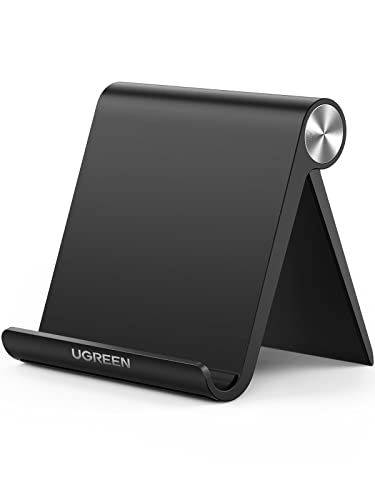
UGREEN Cell Phone Stand for Desk, Fully Foldable&Adjustable Phone Holder
UGREEN's folding desk phone stand is the featured option for this setup. Its listing specifies 0–100-degree adjustment, a 4–7.9-inch device range, silicone contact mats and a folding design. Check the exact fit details and included items at the retailer; this guide is based on listing information, not a product evaluation.
View the exact item and current retailer offer →
Check the exact variant, seller, included pieces, care instructions and current terms. Purchases and checkout take place with the retailer.
Common questions
Does the featured stand charge the phone?
The supplied listing describes a folding holder, not a charger. Do not assume charging hardware or a cable is included.
Will every phone case fit?
The stated device range is 4 to 7.9 inches, but the supplied details do not establish fit for every case or attached accessory. Check the exact fit information and your phone's complete dimensions.
Explore this subject
Prepared by Biz E-Deals using product listing information and general shopping considerations. We have not personally tested the item. Listing information can change; confirm details with the retailer.
Lifestyle photograph: Photo by Dmitry Spravko on Unsplash. Featured product photography appears in the article.
Your next useful read
Explore shopping guides →
Tech & Accessories
How to Choose Sleep Earbuds for Side Sleeping and Quiet Listening
Compare fit, noise control, sleep-friendly settings, battery claims and charging needs before choosing earbuds for overnight listening.
Read the guide
Tech & Accessories
Bluetooth Headphone Mistakes: Check Fit, Pairing and Features
A practical checklist for matching Bluetooth headphones to your routine, checking fit and device compatibility, and separating advertised features ...
Read the guide
Tech & Accessories
Tablet Buying Mistakes: Check Memory, Storage and Screen Fit
A practical checklist for matching a tablet’s memory, storage, screen and features to the way you plan to use it.
Read the guideThe Biz E-Deals edit
Good finds. A little less searching.
Choose your email topics, start with our welcome guide, and join the list for upcoming curated editions.
Savings explained
More to discover
Choose my emails
Choose your email topics on the next page, then confirm in your inbox. Free and optional. No account needed. Privacy policy