
-
Shop by category
Explore all dealsExplore this collection for more finds.
View this find
- Amazon Best Sellers
- Under $25
-
Shop by brand
View all brandsExplore this collection for more finds.
View this find
-
eDeals & offers
Explore all dealsExplore this collection for more finds.
View this find
- Shopping guides
- Compare products Free tool
-
Shop by category
Explore all dealsExplore this collection for more finds.
View this find
- Amazon Best Sellers
- Under $25
-
Shop by brand
View all brandsExplore this collection for more finds.
View this find
-
eDeals & offers
Explore all dealsExplore this collection for more finds.
View this find
- Shopping guides
- Compare products Free tool
THE EVERYDAY EDITTech & Accessories
Earbud Warranty Mistakes: Build a Clear Support Record
A simple way to organize purchase details, describe an earbud problem, and ask about warranty terms without assuming what is covered.
Explore the picks
A warranty mention can be easy to overlook until you need it. Then the product description, your purchase record and your account of the problem may all be in different places. A clear inquiry starts by keeping those details separate: record what you can confirm, describe what you observed, and ask support to clarify anything the listing leaves open. These habits make your message easier to follow without presuming that a particular issue qualifies for coverage.
Ad · We may earn a commission. As an Amazon Associate I earn from qualifying purchases.
Mistake 1: Saving the listing instead of proof of purchase
A product page can identify an item and state a warranty, but it does not establish when you bought your pair or document the transaction. Keep the order confirmation or receipt separately. For example, save the confirmation in a folder labeled “Smokin’ Buds” and retain the date shown on the order. A listing screenshot may help you remember what was stated, but do not treat it as a substitute for your purchase record.
Mistake 2: Reporting a symptom without identifying the earbuds
“My headphones are broken” gives support little to connect your description to the order. Copy the product name and color from your purchase record, then describe only what you noticed. For instance: “Skullcandy Smokin’ Buds Wireless Noise Isolating Earbuds - True Black; left earbud has no audio.” If you do not have a model identifier or do not know why the problem occurred, leave it out rather than guessing. Specific, neutral wording helps keep the item description distinct from your theory about the cause.
Mistake 3: Reading a warranty mention as a coverage decision
The listing says a one-year USA limited warranty is included, but that statement alone does not explain exclusions, eligibility, or how to submit a claim. Do not promise yourself that a particular problem is covered—or assume it is not. Instead, ask support where to find the applicable terms and whether they apply to your specific issue. For example, mention the symptom and purchase date, then ask what information is needed to determine eligibility. That keeps the question factual while leaving the decision to the appropriate support process.
Mistake 4: Sending a changing account of what happened
Scattered notes can make a simple issue harder to explain, especially if you contact support more than once. Write a brief timeline using dates or approximate days you can stand behind, and separate observations from unconfirmed explanations. “Audio stopped Tuesday; I noticed the same issue Wednesday; cause unknown” is clearer than guessing that a drop or connection problem caused it. After contacting support, save your message and reply together with the timeline. If new information changes your account, update the note rather than relying on memory to keep earlier details consistent.
Before you decide
- Save the order confirmation or receipt.
- Copy the item name and color from your purchase record.
- Describe the observed issue without diagnosing its cause.
- Ask support for the applicable warranty terms and next steps.
- Keep the timeline and support correspondence together.
A relevant item to explore
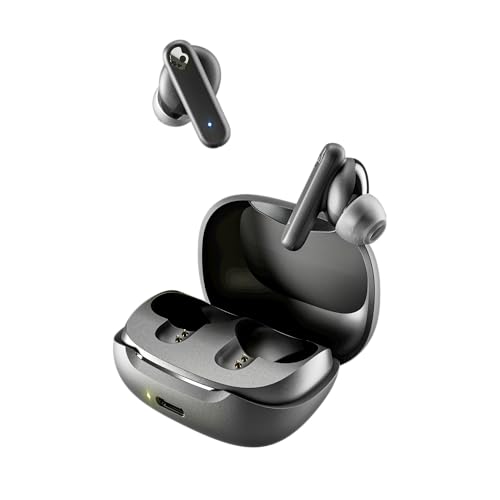
Skullcandy Smokin’ Buds Wireless Noise Isolating Earbuds - True Black
The supplied listing for Skullcandy Smokin’ Buds Wireless Noise Isolating Earbuds in True Black states that a one-year USA limited warranty is included. It does not provide coverage details or a claim procedure, so this guide focuses on organizing an inquiry and verifying the terms.
View the exact item and current retailer offer →
Check the exact variant, seller, included pieces, care instructions and current terms. Purchases and checkout take place with the retailer.
Common questions
What if the earbuds were a gift?
Ask the gift-giver whether they can share the order confirmation or receipt and purchase date. Avoid assuming that a gift receipt contains every detail support may request; ask support what documentation is acceptable.
What if I can’t find my order confirmation?
Search the purchasing account and the email address used for the order. If you still cannot locate it, contact the seller or support to ask what alternatives they accept, rather than reconstructing a purchase date from memory.
Explore this subject
Prepared by Biz E-Deals using product listing information and general shopping considerations. We have not personally tested the item. Listing information can change; confirm details with the retailer.
Lifestyle context photo: Photo by GN Group on Unsplash. The pictured setting and items illustrate the topic; exact featured products are shown separately in this guide.
Your next useful read
Explore shopping guides →
Tech & Accessories
Plan a Two-Device Earbud Handoff Before Your First Call
A practical rehearsal plan for figuring out how earbuds behave with two connected devices and preparing a call fallback.
Read the guide
Tech & Accessories
Multi-Speaker Plans: 4 Linking Mistakes to Avoid
A practical plan for choosing a multi-speaker goal, confirming compatibility, and coordinating who brings what.
Read the guide
Tech & Accessories
Missing Earbud? Avoid These Recovery-Record Mistakes
A simple way to record earbud identity, keep purchase information findable, and avoid assuming a locating feature will work in every situation.
Read the guideThe Biz E-Deals edit
Good finds. A little less searching.
Choose your email topics, start with our welcome guide, and join the list for upcoming curated editions.
Savings explained
More to discover
Choose my emails
Choose your email topics on the next page, then confirm in your inbox. Free and optional. No account needed. Privacy policy