
-
Shop by category
Explore all dealsExplore this collection for more finds.
View this find
- Amazon Best Sellers
- Under $25
-
Shop by brand
View all brandsExplore this collection for more finds.
View this find
-
eDeals & offers
Explore all dealsExplore this collection for more finds.
View this find
- Shopping guides
- Compare products Free tool
-
Shop by category
Explore all dealsExplore this collection for more finds.
View this find
- Amazon Best Sellers
- Under $25
-
Shop by brand
View all brandsExplore this collection for more finds.
View this find
-
eDeals & offers
Explore all dealsExplore this collection for more finds.
View this find
- Shopping guides
- Compare products Free tool
THE EVERYDAY EDITTech & Accessories
Multi-Speaker Plans: 4 Linking Mistakes to Avoid
A practical plan for choosing a multi-speaker goal, confirming compatibility, and coordinating who brings what.
Explore the picks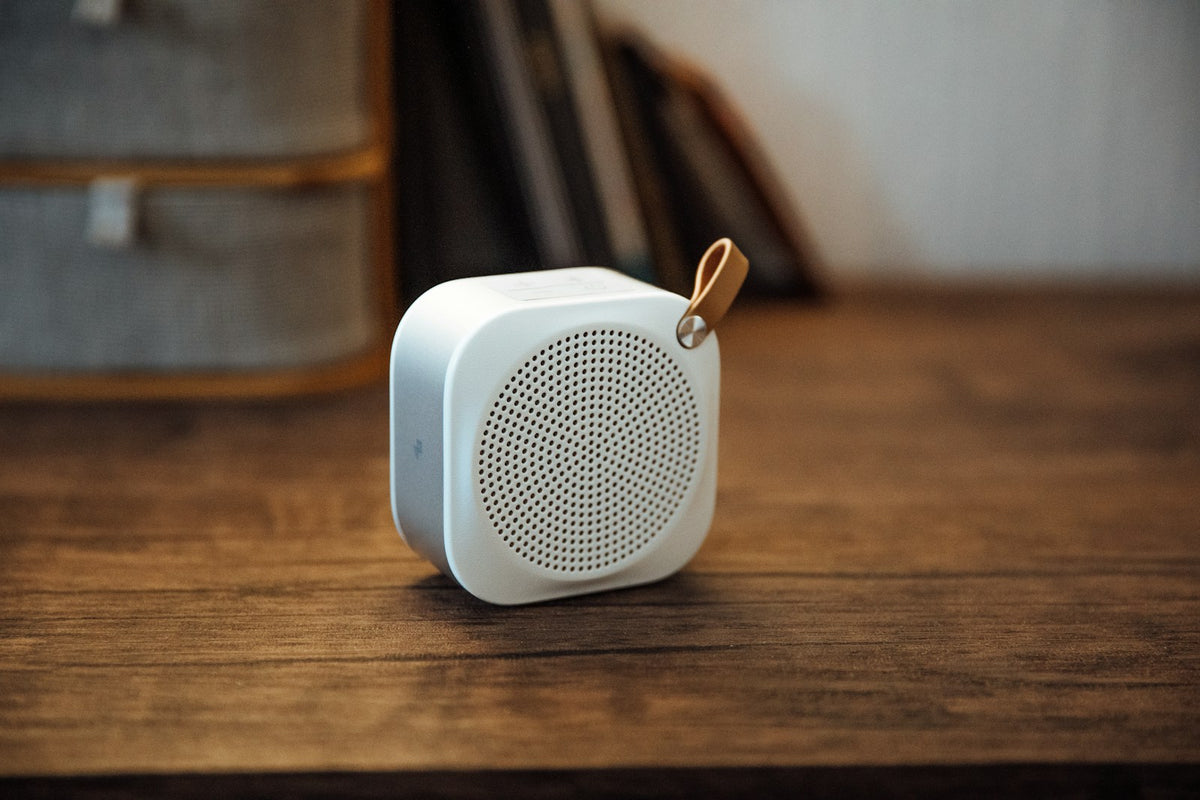
Planning sound for a gathering can go wrong before anyone presses play: people may bring speakers that do not link together, or assume that stereo pairing and linking several speakers are the same thing. Avoid that scramble by making the listening goal, link method, and speaker roles explicit before the event.
Ad · We may earn a commission. As an Amazon Associate I earn from qualifying purchases.
Mistake 1: Treating stereo and multi-speaker linking as interchangeable
Correction: decide whether the goal is left-and-right stereo from two speakers or a wider arrangement using multiple linked speakers. For a small gathering where stereo is the point, the supplied JBL Go 5 information specifies AirTouch pairing between two Go 5 speakers. If you want multiple speakers linked, it describes wireless linking with multiple Auracast-enabled speakers. These are different plans, not interchangeable labels for “more sound.”
Mistake 2: Counting borrowed speakers by brand or appearance
Correction: make a compatibility list by model and link method. If the plan relies on Auracast, verify that each proposed additional speaker is Auracast-enabled before counting it in. A friend offering a wireless speaker is not enough information to establish compatibility, and the supplied details do not say that every wireless speaker works with the Go 5. For example, mark an unverified borrowed speaker as a question—not as part of the confirmed setup.
Mistake 3: Leaving speaker roles vague in the group chat
Correction: write down which units are assigned to which arrangement and what condition applies to any extra speaker. An event note could say: “Two Go 5 speakers for AirTouch stereo; additional speakers only count toward the wider-link plan if they are Auracast-enabled.” This gives the person bringing equipment a clear task and avoids discovering at the gathering that everyone made a different assumption.
Mistake 4: Confusing playback format with the speaker link
Correction: keep source requirements in a separate line of the plan. The Go 5 information describes lossless USB-C audio as playback that requires compatible lossless content from supported apps or services; it does not establish that this playback detail determines which wireless linking method will work. If lossless playback matters, note the content and connection requirement separately from the stereo or Auracast plan. That way, a source question does not get mistaken for a speaker-compatibility answer.
Before you decide
- State the listening goal: two-speaker stereo or a multiple-speaker link.
- Name the required link method beside each planned speaker.
- Resolve compatibility questions before counting borrowed equipment.
- Keep playback-source requirements separate from linking requirements.
A relevant item to explore
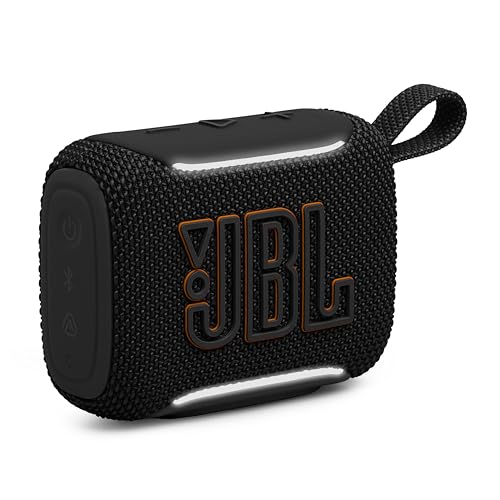
JBL Go 5 Portable Bluetooth Speaker, Waterproof and Dustproof - Black
The JBL Go 5 is relevant because its supplied information distinguishes AirTouch stereo pairing between two Go 5 speakers from wireless linking with multiple Auracast-enabled speakers. Those stated options provide a concrete example for planning link compatibility; they do not establish compatibility with every wireless speaker.
View the exact item and current retailer offer →
Check the exact variant, seller, included pieces, care instructions and current terms. Purchases and checkout take place with the retailer.
Common questions
What information should I ask someone to send about a speaker they might bring?
Ask for the exact model name and whether it supports the specific linking method your plan requires. That makes the compatibility question concrete without assuming that wireless capability alone is enough.
If nobody can confirm compatibility for an extra speaker, how should I plan?
Keep that speaker out of the confirmed arrangement and base the plan on the units and method you can verify. Treat the extra as a possibility, not a requirement for the gathering’s audio plan.
Explore this subject
Prepared by Biz E-Deals using product listing information and general shopping considerations. We have not personally tested the item. Listing information can change; confirm details with the retailer.
Lifestyle context photo: Photo by Nicolas J Leclercq on Unsplash. The pictured setting and items illustrate the topic; exact featured products are shown separately in this guide.
Your next useful read
Explore shopping guides →
Tech & Accessories
Missing Earbud? Avoid These Recovery-Record Mistakes
A simple way to record earbud identity, keep purchase information findable, and avoid assuming a locating feature will work in every situation.
Read the guide
Tech & Accessories
A Small Charging Troubleshooting Upgrade: Change One Part at a Time
Turn a vague charging problem into a repeatable sequence of comparisons, changing one part at a time and keeping a useful record of the results.
Read the guide
Tech & Accessories
How to Fit Wired Earbuds and Check Your Call Setup
A step-by-step routine for fitting silicone earbuds, checking listening and call performance, and managing a wired cord for daily use.
Read the guideThe Biz E-Deals edit
Good finds. A little less searching.
Choose your email topics, start with our welcome guide, and join the list for upcoming curated editions.
Savings explained
More to discover
Choose my emails
Choose your email topics on the next page, then confirm in your inbox. Free and optional. No account needed. Privacy policy